Guide
How Tea App Checker Works (and What It Can't Do)
Tea App Checker is a free web tool that looks for possible matches of you in the Tea posts we can see. You search by first name, city and age, or by photo, and most checks take about 10 seconds. Seeing possible matches is free, and you pay once only for a post you choose to open.
Run a free check
First name, city and age, or a photo. Most checks take about 10 seconds. Nobody on Tea is told.
First name only works best.
Free to search · pay only for the posts you open
Loading the search…
This guide covers each step, what is free, what you pay for, how your photo is handled, and the limits.
Key facts
- Tea App Checker searches by first name, city and age, or by photo, or both.
- Most searches take about 10 seconds.
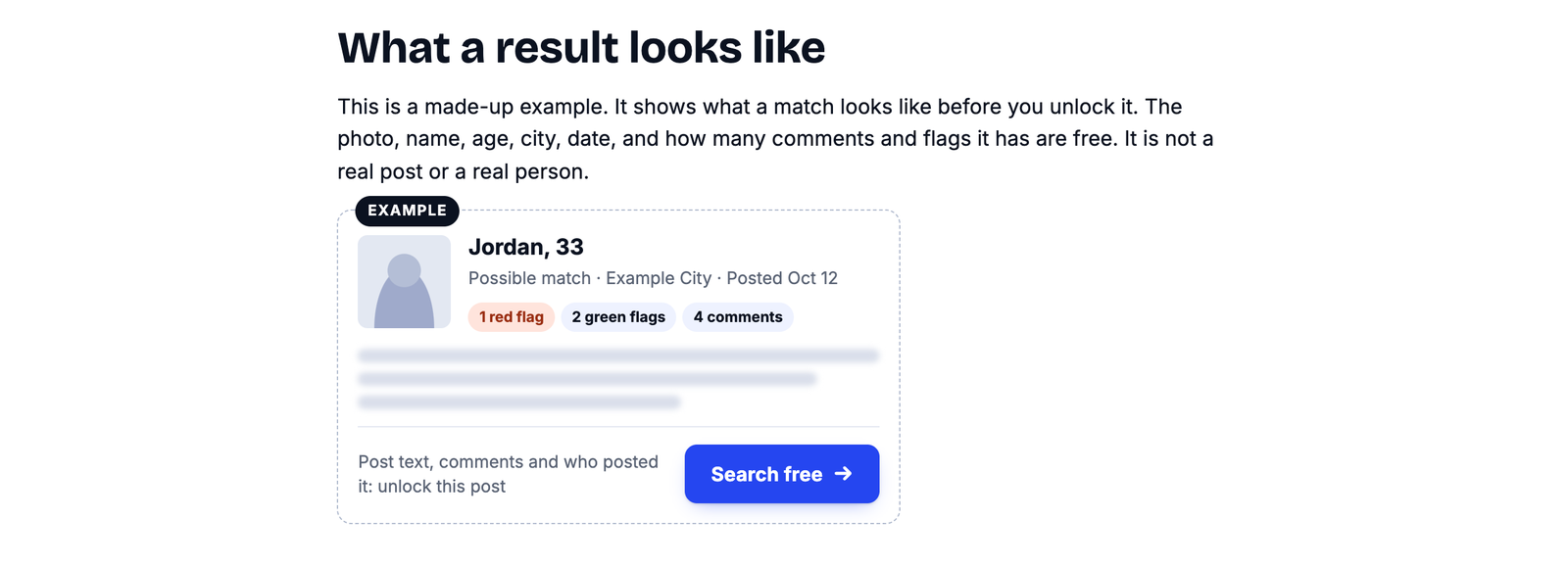
- Each possible match's photo, first name, age, city, date and comment and flag counts are free to see.
- Tea App Checker charges once per post you choose to open, with no plan and no repeat charge.
- Nobody on Tea is told when you search.
- No account is needed to search.
- Tea App Checker is an independent service and is not affiliated with Tea.
How does Tea App Checker search the Tea app?
The checker compares what you enter with the Tea posts we can see and shows you possible matches. Here is each step.
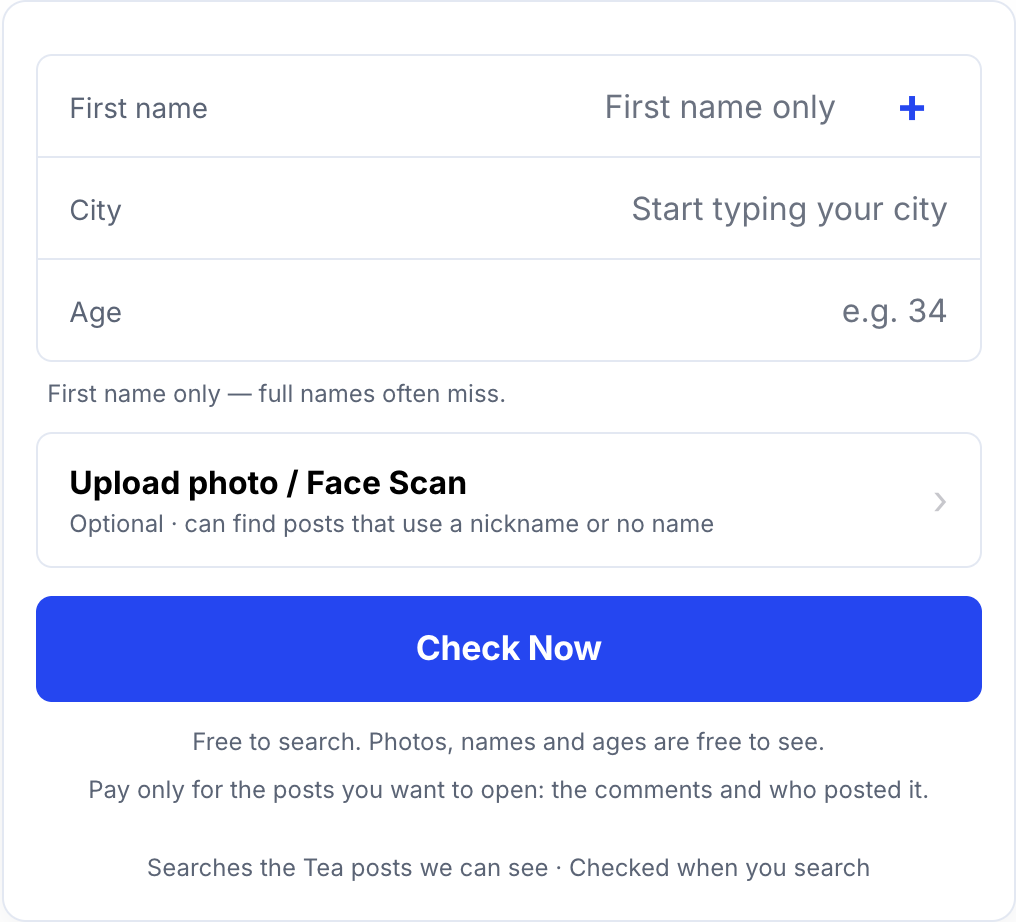
Step 1: Enter a name, a photo, or both
For a name search, you give the checker your first name, the city where you date and your age. For a photo search, you add a clear picture of your own face. You can use either one, or both together. Use your first name only, not your full name, since full names tend to miss.
Step 2: The checker looks for posts that fit
A name search has the checker look for Tea posts with a first name, city and age that fit yours. A photo search uses our own face match to look for posts that show a similar face. Most checks take about 10 seconds. At busy times the checker can take a little longer.
Step 3: You see possible matches for free
For each possible match, the checker shows the photo from the post (not blurred), the first name, age and city on it, the date it went up, and how many comments and red and green flags it has. You pay nothing to see this.
Step 4: You unlock only the post you want to read
Every possible match the checker shows has its own unlock button. Paying opens that one post. The price is on the button before you pay.
What is free on Tea App Checker, and what do you pay for?
Searching and seeing possible matches is free; reading a post costs a one-time payment for that post.
Free, before you pay:
- the photo on the post
- the first name, age, city and date
- how many comments and flags it has
After you unlock a post:
- what the post says
- the comments we have for it
- who flagged it
- who posted it
Can Tea App Checker show who posted about you?
An unlocked post shows the Tea account behind the post: the name it shows on Tea (usually a first name or a handle, not a full legal name), where and when it posts, and the other posts we can see from it. We show only what we can see, so this isn't always available. The checker will not give you anyone's full legal name.
How do you pay on Tea App Checker?
The checker takes Apple Pay, Google Pay or a card, and payments go through Stripe.
- One post at a time. There is no plan, no subscription and no repeat charge.
- Price first. You see the price on the button before you enter a card.
- Card safety. Stripe handles the payment, and we never see your full card number.
- Stays open for 7 days in this browser, with free updates in that time. After 7 days, or if you clear your cookies or switch devices, you pay again to open the post.
- Refunds. You get the post once you pay, so a payment isn't refunded after the post is opened. Billing mistakes, like a double charge, are always fixed. The details are in our refund rules.
Is Tea App Checker private?
Yes. Nobody on Tea is told you searched, nothing is posted anywhere, and you don't need an account.
- No account. You don't sign up to search. If you unlock a post, checkout asks for your email and payment details, and nothing more.
- Your photo is your choice. A photo is used only if you add one, and you are asked to agree first. Only add a photo of yourself. If you use your camera, it turns on only after you tap and your browser asks you to allow it.
Photos are kept in encrypted storage; face data is destroyed within 3 years or sooner once it is no longer needed.
The full details are in our Biometric Notice and Privacy Policy. To remove an email you saved for alerts, use the Delete my data page.
What can't Tea App Checker do?
The checker can't cover everything on Tea, and its results are possible matches, not proof. Knowing the limits now is better than feeling misled later.
- It checks only the Tea posts we can see. No checker can honestly promise more.
- A clean result isn't proof you were never posted. It means no match turned up today. New posts go up all the time, so it is worth checking again later.
- A match isn't proof either. Many men share a first name. Look at the photo, city, age and date before you decide a post is about you.
- It won't give a full legal name. Tea accounts usually show a first name or a handle.
- It isn't Tea. Tea App Checker is not affiliated with Tea, the dating safety app for women. Press reports say Tea checks a selfie or ID at sign-up, which is why men can't search it themselves.
Where should you go next?
To run a check now, go to Tea App Checker. For tips on names and spelling, read How to Search the Tea App by Name (No Account Needed). If you want to know what Tea shows outside the app, read The Tea App Website: What It Is and What Men Can See. If you find a post about you, Am I on the Tea App? How to Check for Free walks through the next steps.
How we know this: this guide describes how Tea App Checker itself works, as shown on the site's search page, FAQ and policy pages on the date above.
Common questions
Is Tea App Checker free to use?
Searching Tea App Checker is free. Each possible match shows its photo, first name, age, city, date, and comment and flag counts for free. You pay once only for a post you choose to open, and the price shows on the button first.
How long does a Tea App Checker search take?
Most searches take about 10 seconds. At busy times a search can take a little longer.
Will anyone on Tea know I searched?
No. A search isn't posted anywhere, and nobody on Tea gets a notice that you looked.
Does a clean result mean I was never posted on Tea?
No. A clean result means no match turned up in the Tea posts we can see today. It isn't proof you were never posted. New posts go up all the time, so check again later.
Can Tea App Checker tell me who posted about me?
An unlocked post shows the Tea account behind it: the name it shows on Tea (usually a first name or a handle, not a full legal name), where and when it posts, and the other posts we can see from it. This isn't always available.
Is there anything to cancel?
No. Each unlock is a one-time payment for one post. There is no plan, no subscription and no repeat charge.