Guide
Am I on the Tea App? How to Check for Free

Men can't look themselves up inside the Tea app, because Tea is built for women and men are kept out. You can still check from the outside: Tea App Checker searches the Tea posts it can see by first name, city and age, or by photo, for free. Most checks take about 10 seconds.
Run a free check
First name, city and age, or a photo. Most checks take about 10 seconds. Nobody on Tea is told.
First name only works best.
Free to search · pay only for the posts you open
Loading the search…
Why can't men just open Tea and look?
Men can't search Tea because the app is made for women only. Tea is a dating safety app where women post about men they have dated. A typical post shows a photo, a first name, an age and a city. Other women add comments and mark the man with red or green flags.
Press reports say Tea checks a selfie or an ID when someone signs up. So making an account to search for yourself doesn't work. Borrowing a woman's account is a bad idea too. It puts her in the middle.
Tea also has a website, teaforwomen.com, but it doesn't let men browse posts either. Our guide The Tea App Website: What It Is and What Men Can See covers what is and isn't visible.
Key facts
- Tea App Checker searches by first name, city and age, or by photo.
- Tea App Checker needs no account, and nobody on Tea is told you searched.
- Most Tea App Checker searches take about 10 seconds.
- Each possible match's photo, first name, age, city, date and comment and flag counts are free to see.
- On Tea App Checker, you pay once per post, only for a post you choose to open.
- Every Tea App Checker result is a possible match, not proof that a post is about you.
- Tea App Checker is not affiliated with Tea.
How do I check if I'm on the Tea app?
The simplest way is to run a free search on Tea App Checker. Most checks take about 10 seconds.
Step 1: Enter your details
Type your first name, the city where you date, and your age. Posts usually show a first name, so skip your last name.
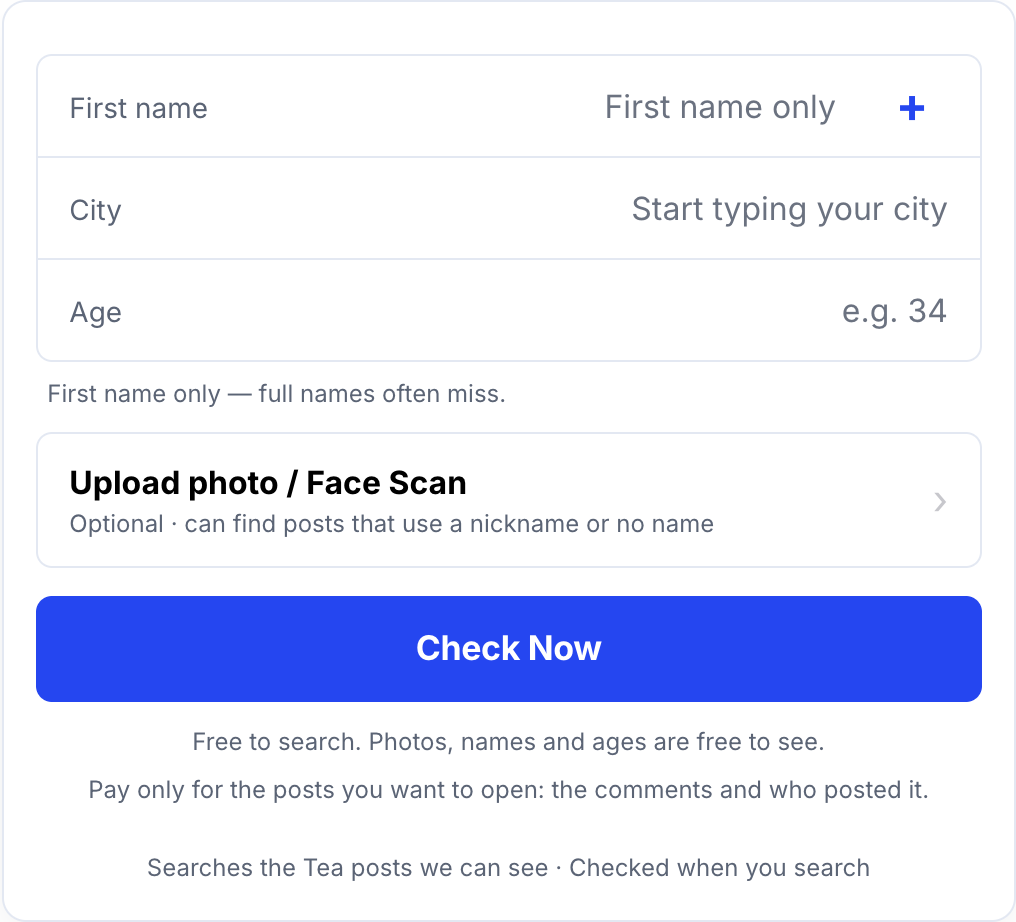
Step 2: Add a photo if you can
A photo is optional, but it can find posts that use a nickname or no name. Your photo is only used if you add one. The Biometric Notice explains how photos are handled.
Step 3: Look at your free results
Each possible match is free to see: the photo, first name, age, city, date, and comment and flag counts.
Step 4: Unlock only what you want to read
You pay once for each post you choose to open, and the price is on the button first. There is no plan and no repeat charge.
The full flow is in how Tea App Checker works.
Can I see who posted about me?
Sometimes, yes. An unlocked post can also show the Tea account behind it. How Tea App Checker works explains what that includes. Tea App Checker can only show what it can see, so this won't be there for each post.
How do I get a more accurate result?
Small choices make a big difference:
- Use your first name only. A full name usually misses.
- Use the city where you date. If you live in a suburb but date in the city, try the city.
- Run one check per city. Moved recently, or date in two places? Check each one.
- Add a clear photo. A photo can find posts that skip your name.
Our guide on How to Search the Tea App by Name (No Account Needed) has more tips.
How do I know if a match is really me?
A match is only a possible match until you check the details. Plenty of men share a first name. Look at the clues together:
- The photo: the strongest clue. Is it you?
- City: do you date there, or did you?
- Age: is it close? Posters sometimes guess.
- Date posted: does it fit when you were dating there?
- Comments and flags: these show how much attention the post got.
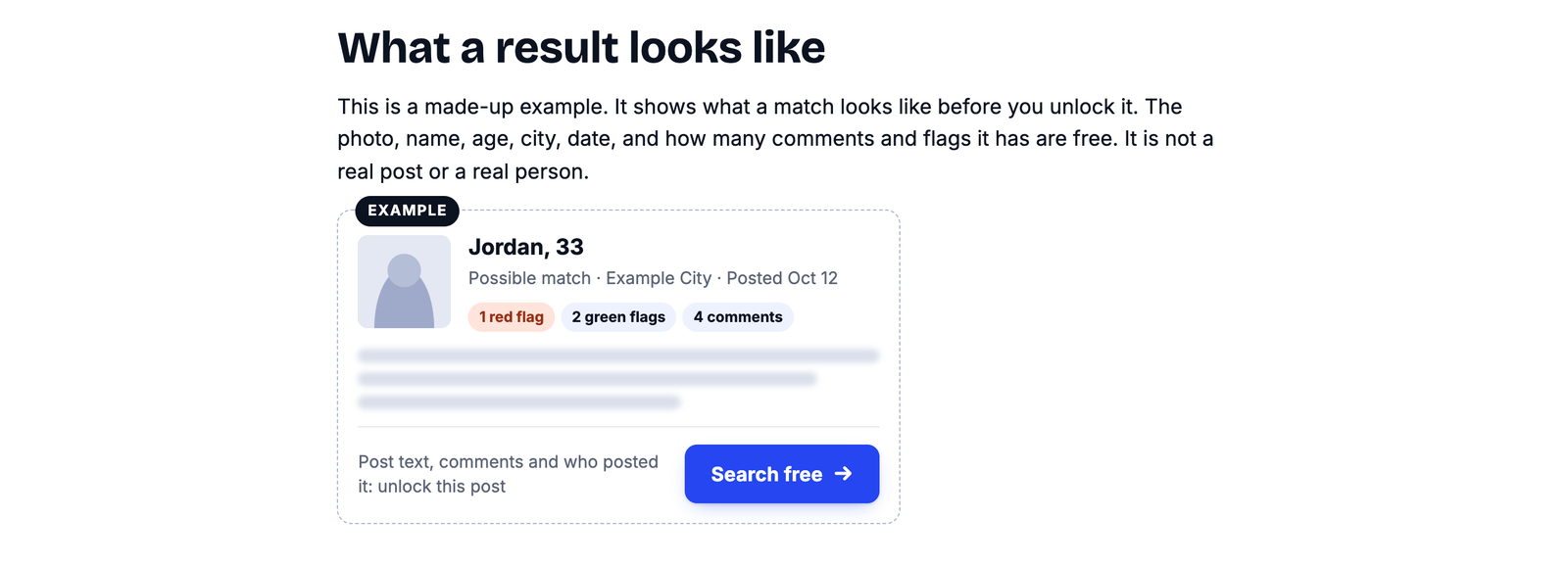
If the photo isn't you, the post is probably about someone else with your name.
What if nothing comes up?
A clean result means no possible match turned up in the Tea posts we can see today. That's good news, but a clean result isn't proof you were never posted. New posts go up all the time. If you're dating actively, check again in a few weeks.
Are there other ways to check?
There are two, and both are hit or miss. You can ask a woman who uses Tea to look, but she has to scroll for you and may not want to search for a man on someone else's behalf. You can also watch for screenshots, since Tea posts sometimes show up on TikTok, Reddit or in group chats. Many posts are never shared outside the app.
What should I do if I find a post about me?
Stay calm and don't react in public. Finding yourself on Tea feels bad, even when the post is mild. These steps help:
- Don't message the woman who posted. Don't comment about it in public either.
- Read all of it. The comments and flags often matter more than the post.
- Save what you see. Take screenshots with the date showing.
- Don't make a fake Tea account. Press reports say Tea checks new users, and getting caught makes things worse.
- Look for Tea's own contact or report options on its website if a post is false or shares private details. For anything serious, talk to a lawyer.
How we know this
This guide is based on how Tea App Checker works today and on public press reports about Tea's sign-up checks. For more detail, read How Tea App Checker Works (and What It Can't Do). You can read our privacy policy and refund policy, or ask to remove saved details on the delete my data page.
Common questions
How do I know if I'm on the Tea app?
Men can't search inside Tea, so check from the outside. Tea App Checker searches the Tea posts it can see by first name, city and age, or by photo. Most checks take about 10 seconds, and you see possible matches before you pay anything.
Is it free to check if I'm on Tea?
Yes. Searching on Tea App Checker is free, and so is seeing each possible match's photo, first name, age, city, date, and how many comments and flags it has. You pay once only for a post you choose to open.
Will anyone on Tea know I checked?
No. A Tea App Checker search isn't posted anywhere, and nobody on Tea gets a notice that you looked.
Do I need a Tea account to check?
No. Tea App Checker needs no account of any kind, and there is nothing to download. Tea App Checker is not affiliated with Tea.
What does it mean if nothing comes up?
A clean result means no possible match turned up in the Tea posts Tea App Checker can see today. A clean result isn't proof you were never posted. New posts go up all the time, so check again later.